
Your heart rate,
on any bike computer.
HeartRate Broadcaster (HRB) reads live heart rate from your Apple Watch and AirPods Pro and fuses it into one reading. It broadcasts that over Bluetooth LE as a standard heart rate monitor: your training app sees a chest strap.
One heart, one stream
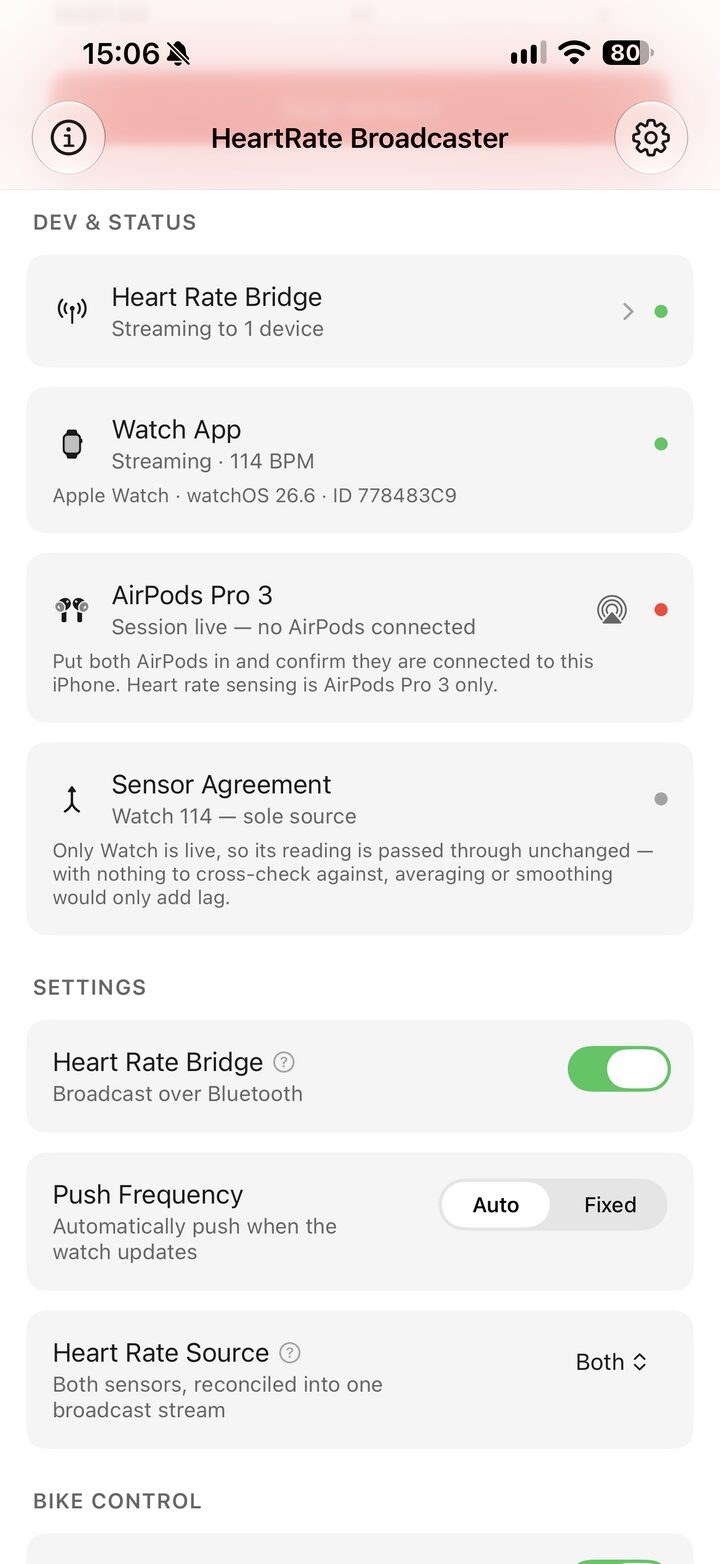
Your watch measures. Your AirPods measure. Two sensors disagreeing at the same moment is worse than one sensor being slightly wrong, so HRB arbitrates between them and puts exactly one number on the air.
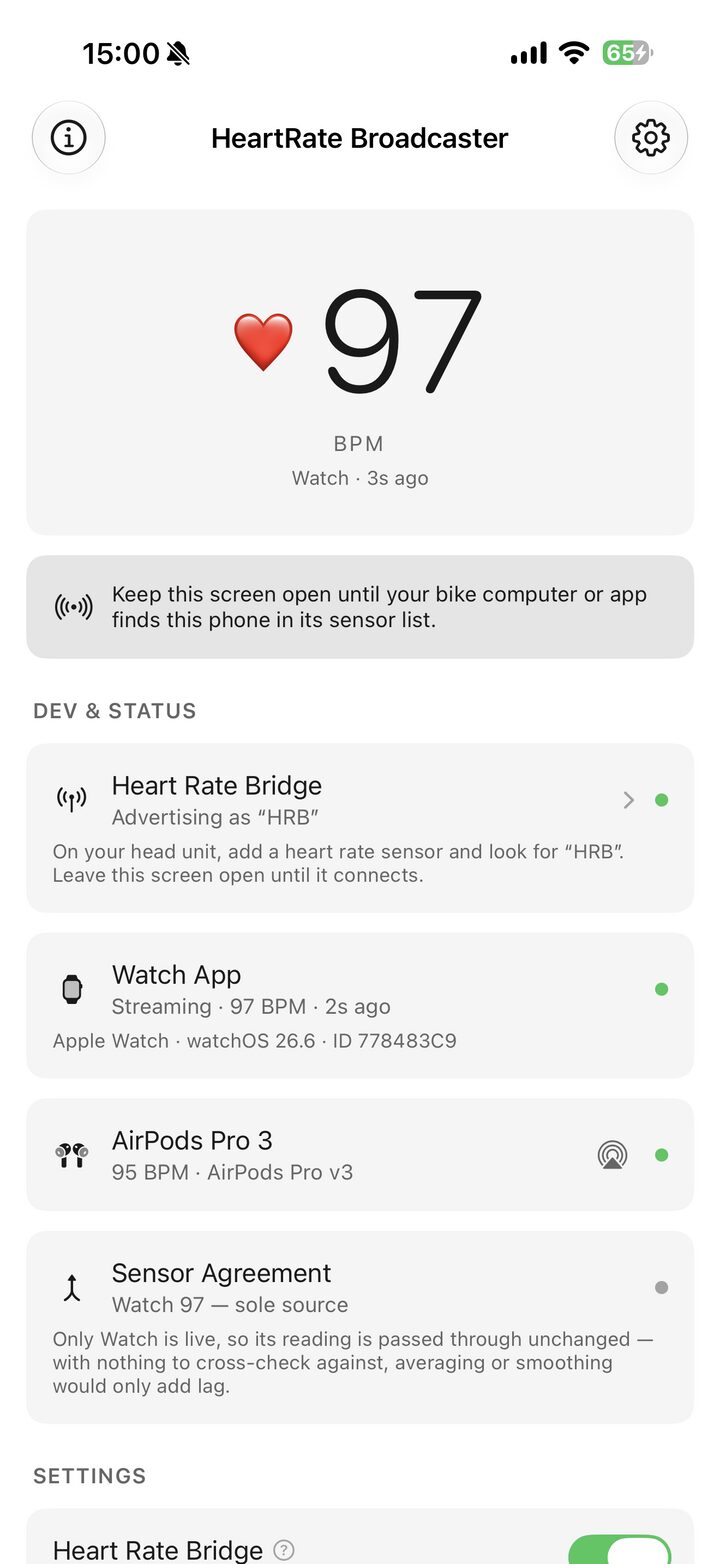
Sensor agreement, in the open
It names the sensors it can currently hear, prints how far apart they are in BPM, and shows which single reading it settled on and sent.
- Apple Watch
- The primary sensor. It runs a real workout session — the only way to sample heart rate at a useful rate and to keep sampling with the screen off.
- AirPods Pro 3
- A second, entirely optional sensor. The watch on its own is a complete source; the AirPods on their own are too.
- iPhone
- Averages readings that agree, rejects the outlier when they don't, and advertises the result as a standard Bluetooth LE Heart Rate Service (
0x180D). When a sensor goes quiet the row says so rather than quietly comparing against a stale number. - Head unit
- MyWhoosh, Zwift, TrainerRoad, Wahoo, and Bluetooth-capable Garmin Edge units all see one ordinary chest strap.
Watts in, calories out
A power meter measures the work. Turning that work into calories takes two constants, both named below.
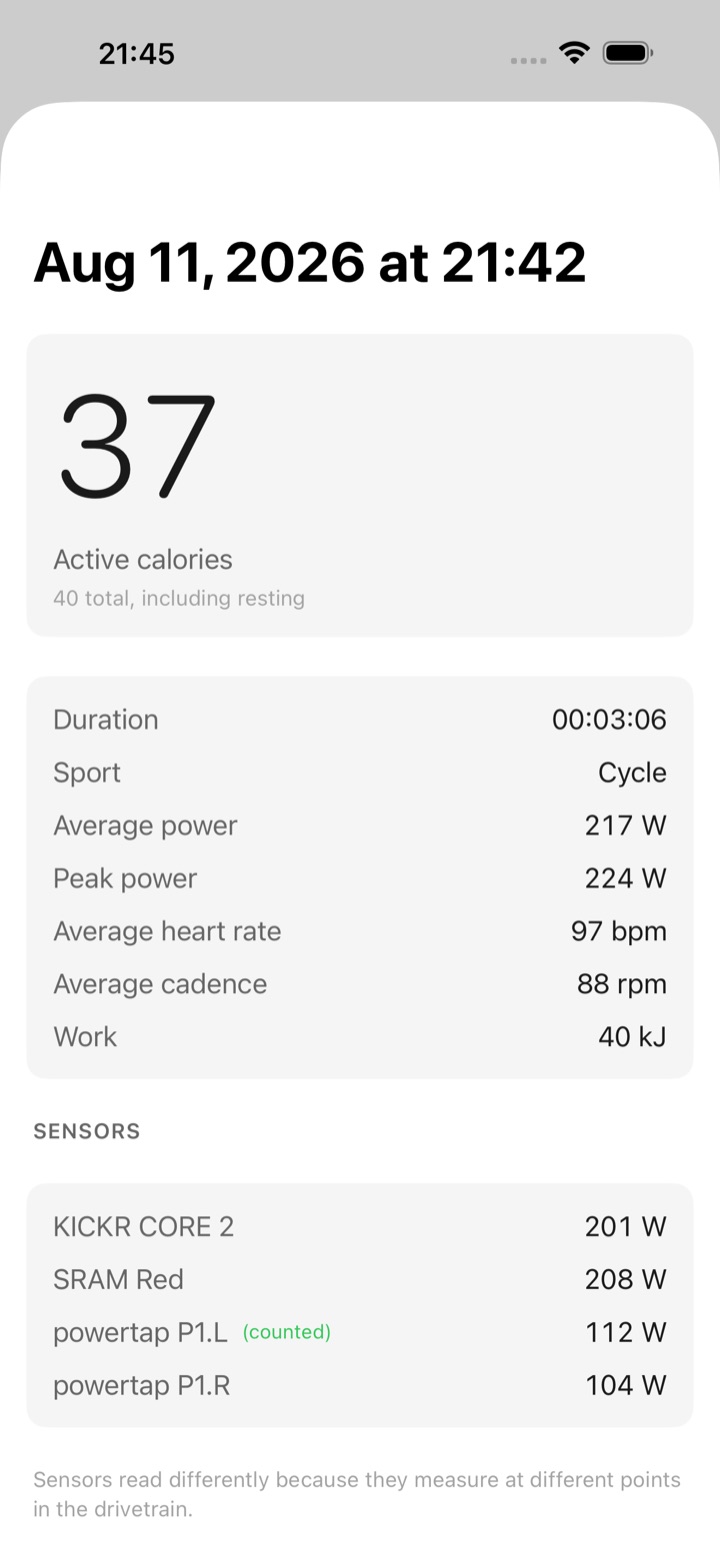
From the pedals to the number
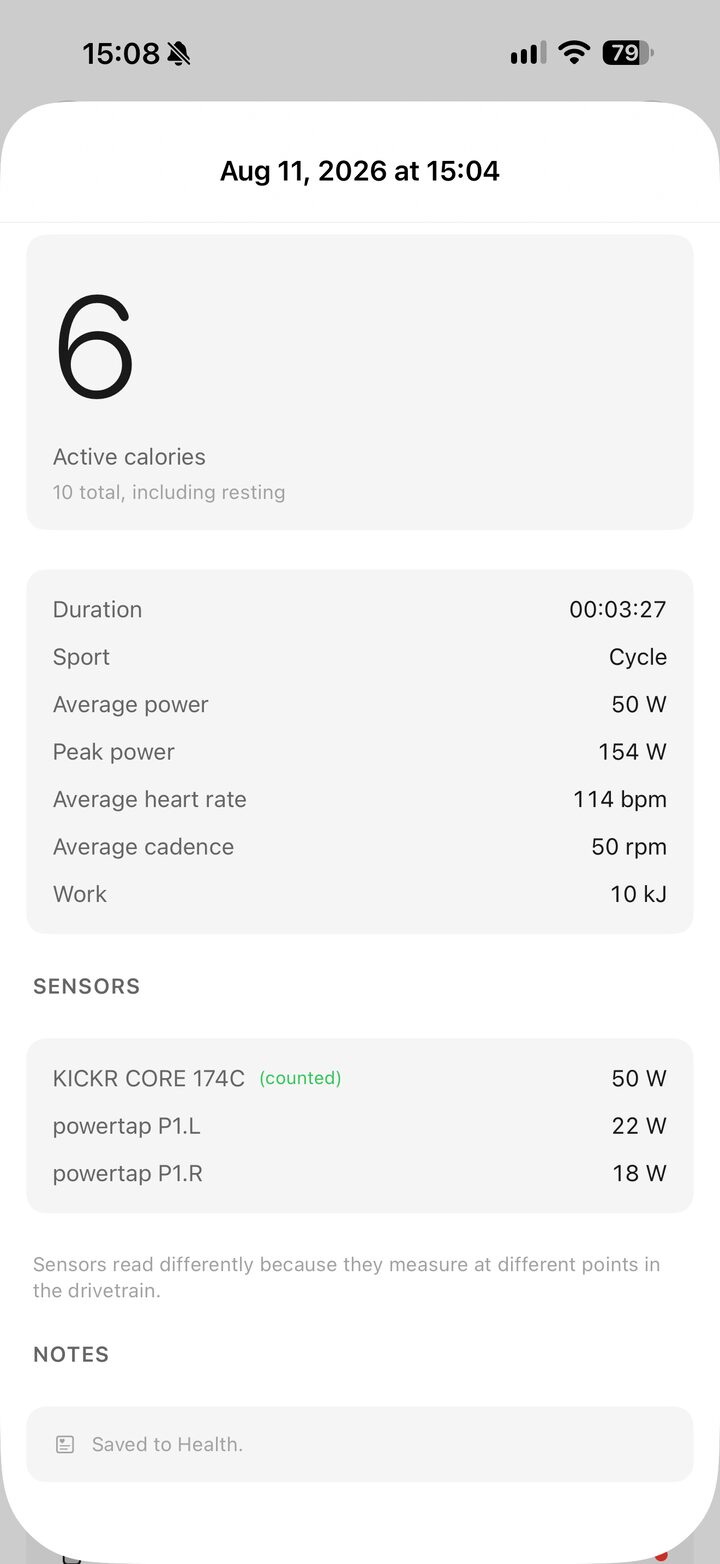
Watts are joules per second. HRB integrates the meter's reported power over the time it was actually reporting, then converts the mechanical work into what your body spent producing it.
- Work
- Every power sample is multiplied by the interval it covers and added up. A dropout is excluded, not interpolated — the summary says how many seconds were dropped.
- Efficiency
- About 24% of what you burn reaches the pedals as work; the rest leaves as heat. That figure,
0.24, sits inside the 0.20–0.25 measured for trained cycling, and it is why a kilojoule of work costs roughly a kilocalorie. - Resting
- Health means "above resting" by active energy, so the basal share of the session — Mifflin–St Jeor, from your height, weight, age and sex — is subtracted before anything is written. The summary shows both figures.
- No meter
- Without power the estimate falls back to a published heart-rate regression (Keytel et al., 2005) and says so on the screen. An estimate labelled as one is worth more than a number that pretends to be measured.
Every meter on the bike
Cycling Power (0x1818), Cycling Speed and Cadence (0x1816), and FTMS Indoor Bike Data (0x1826). Pedals, cranks and smart trainers all report; pedal-based meters also report left/right balance where they have it.
Ridden and tested against a Wahoo Kickr Core 2 and PowerTap P1 pedals, both on the air at once.
One meter counts, the rest are logged
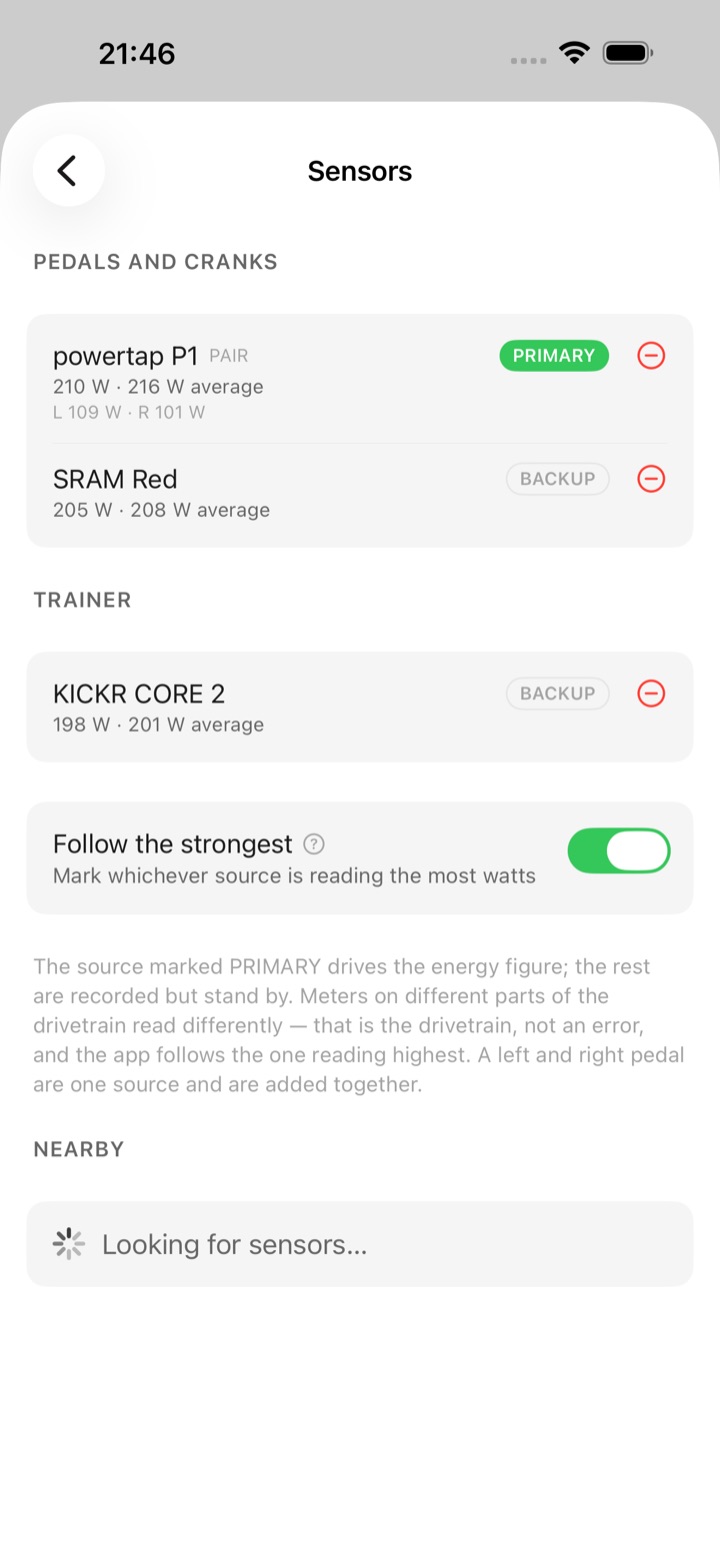
Pedals, a crank and a trainer read differently because they measure at different points in the drivetrain. You choose which one the calorie figure comes from; the others are recorded alongside it, with their own averages, so you can see the spread.
Ride, run, swim
A session is labelled before it starts, and defaults to a ride when a power meter is on the air. The label sets the HealthKit activity type, and the watch labels its own session to match.
Your body details stay here
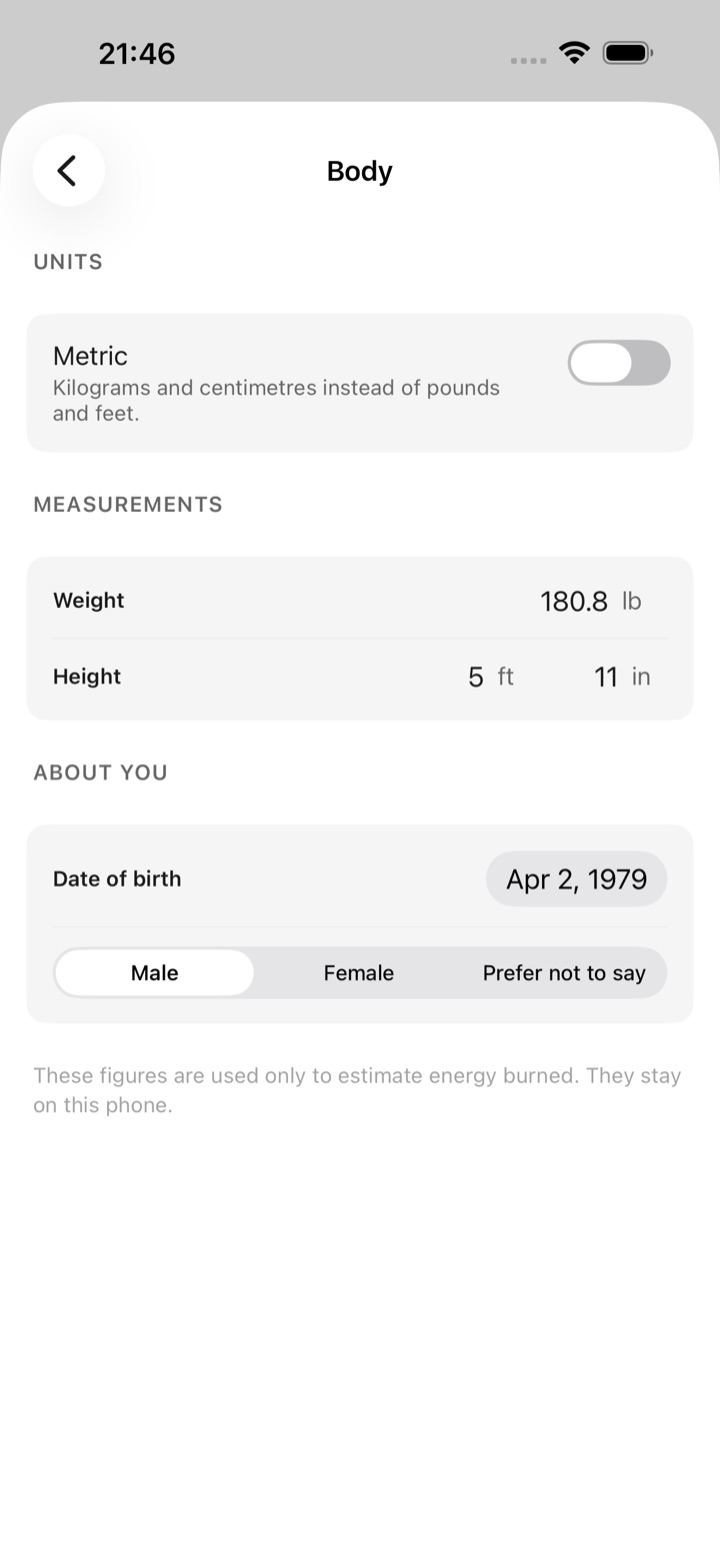
Height, weight, date of birth and sex are entered once and stored on the phone alone. They are used for the two equations above and for nothing else. Height takes feet and inches, or centimetres.
Written to Health
Each session is saved as a workout with its active energy, so it lands in your rings and in any app that reads Health. The in-app history keeps the detail Health has no field for: which meters were heard, and where the gaps were.
It tells you when it is guessing
An incomplete body profile, a dropped sensor, or a heart-rate-only estimate each show up in a Notes section under the figure. Nothing is quietly rounded into looking better than it is.
Three ways to get it
There is one app, and one build of it. What differs is how you get hold of it: two of these routes cost nothing and ask for effort or patience instead, and the third is the App Store.
TestFlight — free, 90 days
Open to anyone, no invitation needed. Install Apple's TestFlight app, open the public link, and the beta installs alongside everything else. Each build stays usable for 90 days from the day it is published; a new build resets the clock, so the beta keeps running as long as it is updated.
Sideload — free, needs a developer account
Every GitHub release carries a Release-configuration
.ipa. It is signed for distribution, so installing it
means re-signing it with your own identity — Xcode, AltStore or
Sideloadly all do this. HealthKit and background Bluetooth are not
available to free provisioning profiles, so this route needs a paid
Apple Developer account. The full source is there too.
App Store — USD 4.99
One purchase. No subscription, no in-app purchase, no ads, no account, and it updates itself like any other app. You are paying to skip both routes above, and for the work behind it.
Trying it on TestFlight
The beta is open — there is no invitation list and no approval step. It is the same app as the paid release, installed through Apple's beta channel instead of the store.
- 1 — Install TestFlight
- Apple's own beta app, free on the App Store. It has to be on the iPhone before the link will do anything.
- 2 — Open the public link
- On that same iPhone, open testflight.apple.com/join/VUJCa5Gw, then tap Accept and Install. No invitation and no code.
- 3 — Add the watch app
- Install it from the Watch app on your iPhone, the same way as any other watch app. The watch is the sensor, so this step is not optional.
A TestFlight build works for 90 days from the day it is published. Each new build restarts that period, so the beta keeps running as long as it is being updated. Nothing expires on the App Store version.
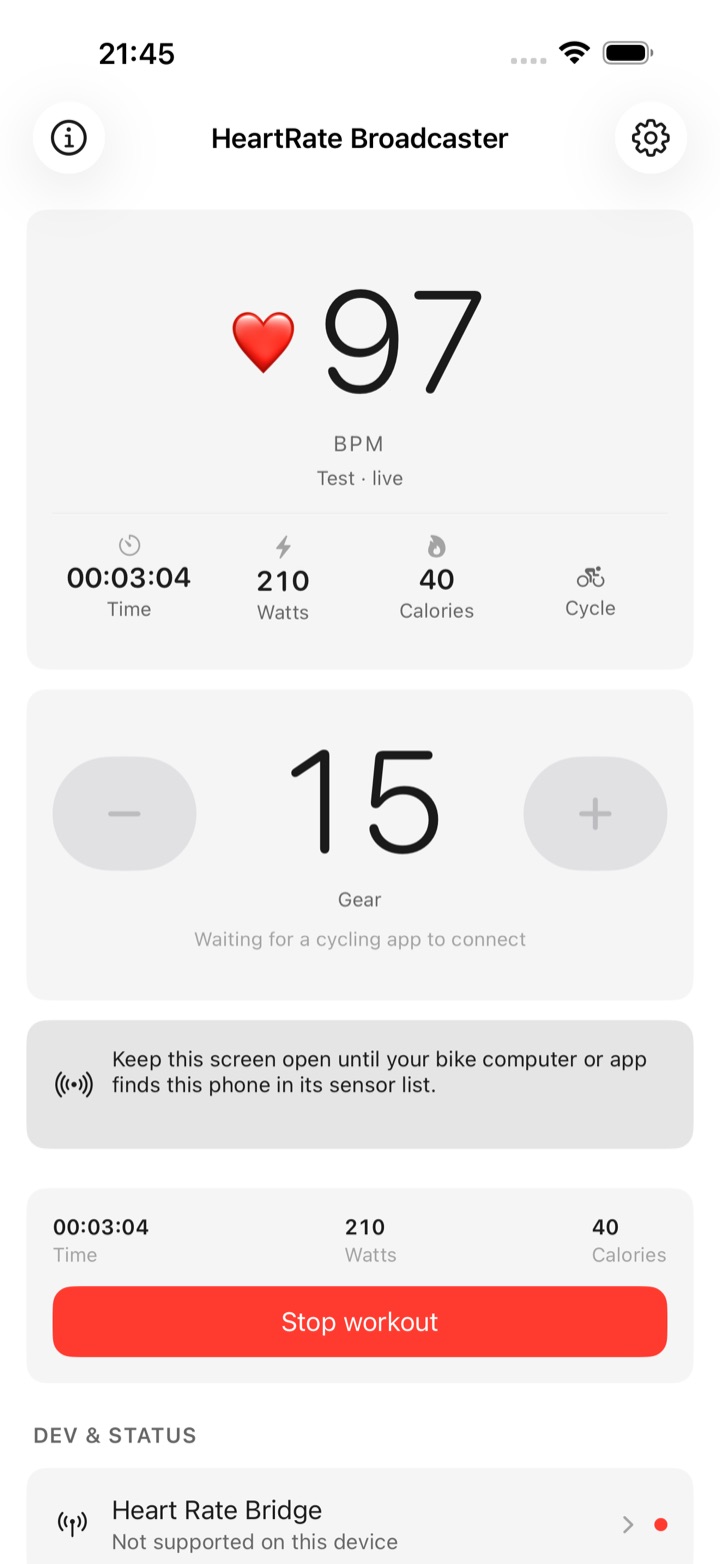
Every screen
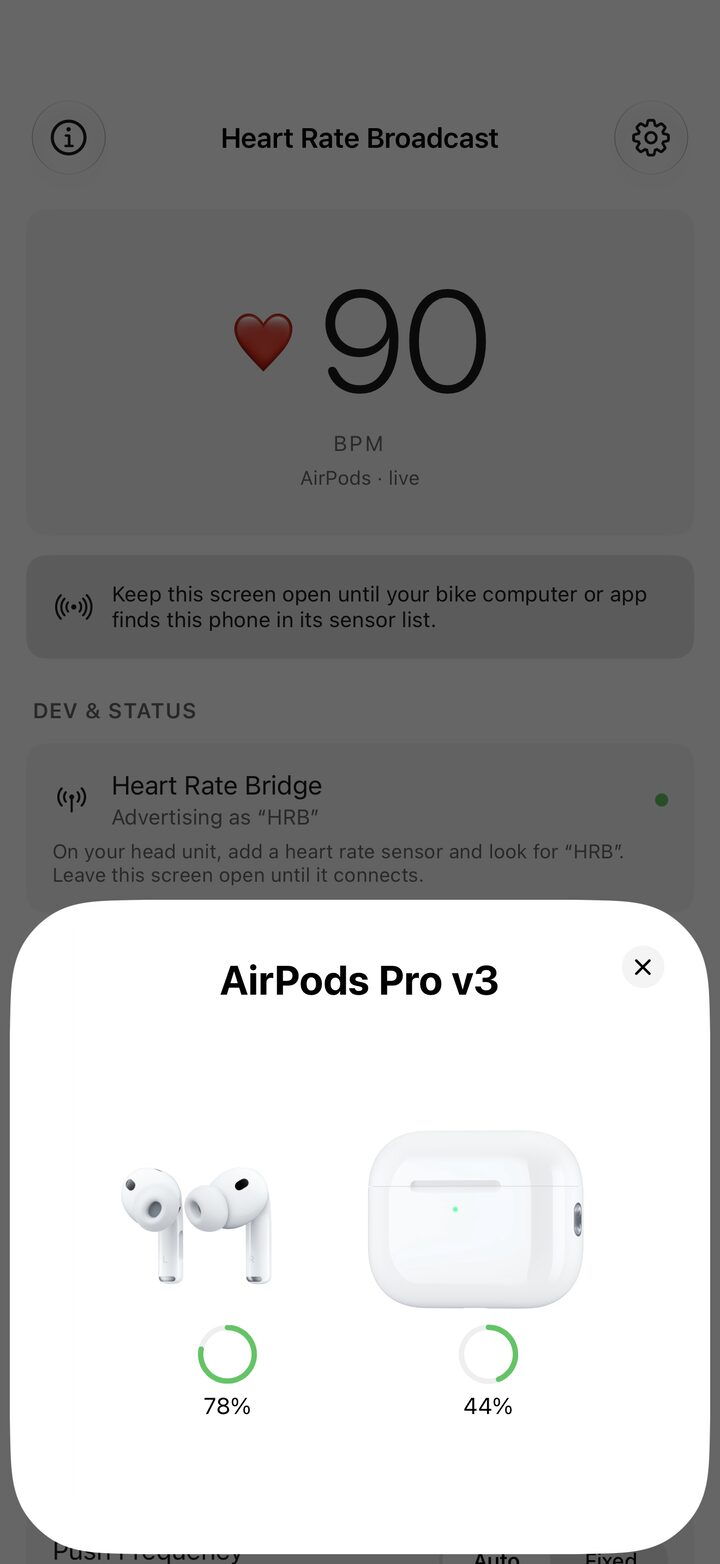
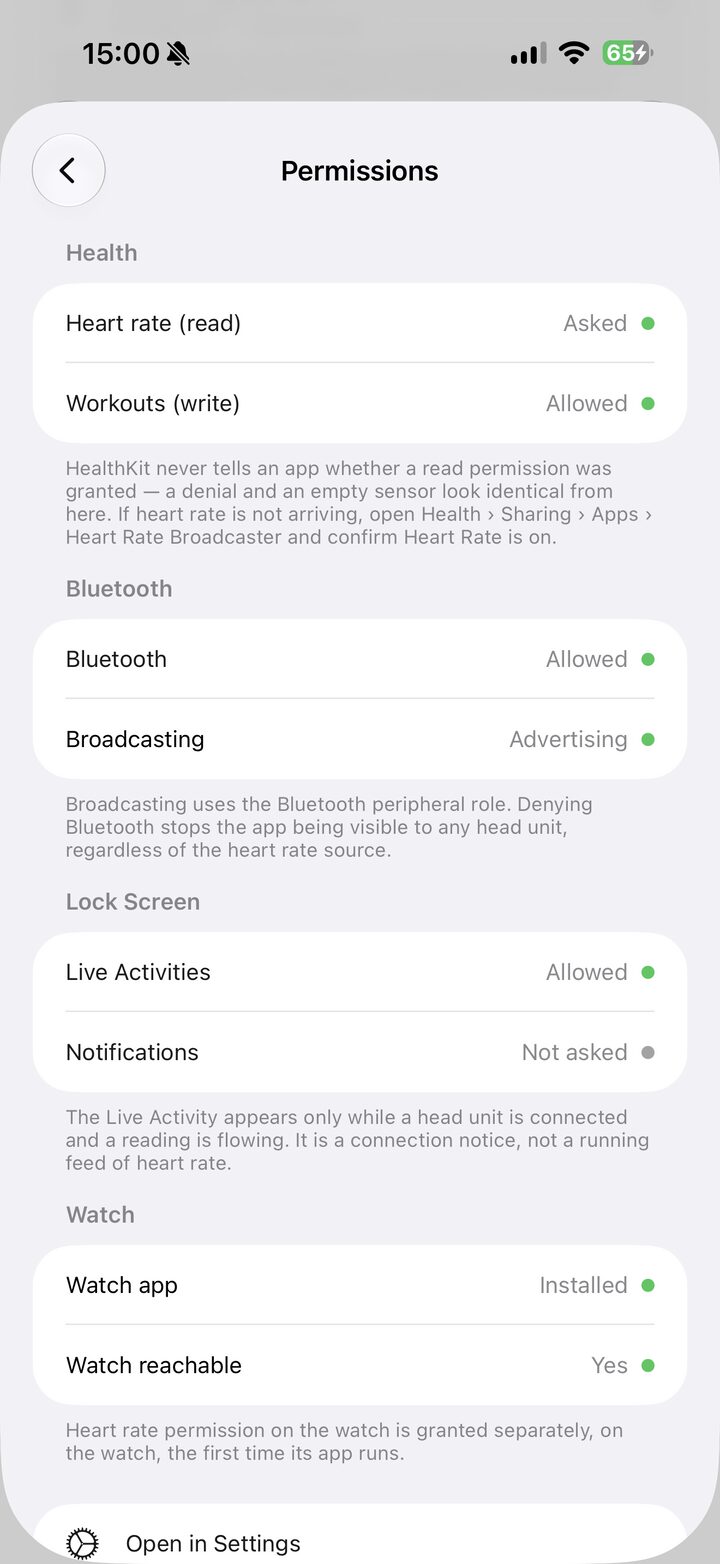
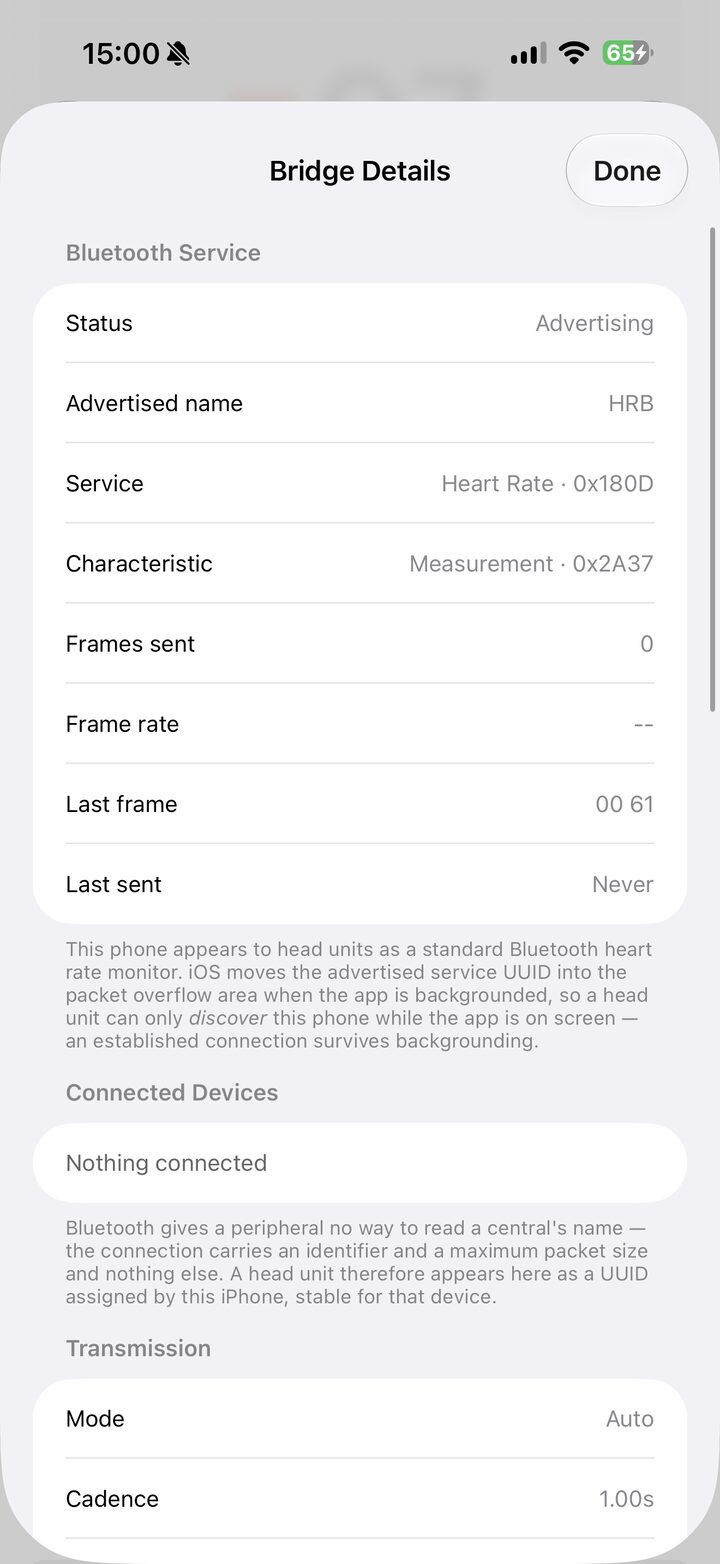
Captured from the shipping build on an iPhone 17 Pro Max and an Apple Watch. Some were taken on a phone mid-ride; the rest on a simulator, which has no Bluetooth radio, so the sensors in those are a stand-in set feeding the app real readings. Every number on screen is the app's own arithmetic. Nothing here is a drawing.
What it does
Everything here exists in the app today. Nothing on this page is a roadmap.
A real heart rate strap
Advertises the standard Heart Rate Service (0x180D) with Heart Rate Measurement and Body Sensor Location. Anything that pairs a Bluetooth strap pairs this, with no companion app or plug-in.
Two sensors, one number
When the watch and AirPods both report, HRB averages readings that agree and rejects the outlier when they don't — preferring whichever is closer to the trend it has already seen.
Virtual shifter
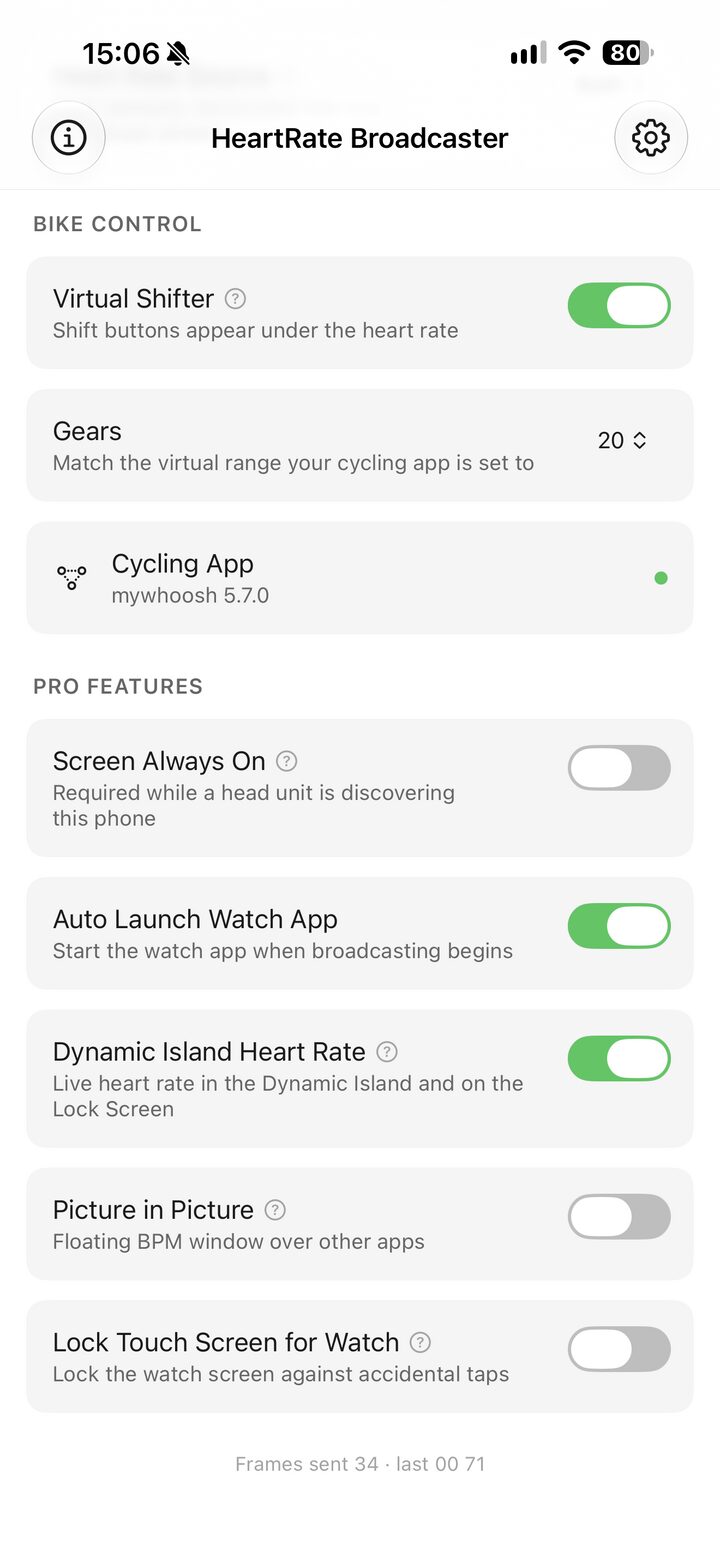
The same phone also offers itself as a shifter over the open Bike Control protocol, so the buttons under the heart rate shift your trainer in MyWhoosh or Zwift. No Clicks, no Play controllers, no second device.
Dynamic Island
Live Activity on the Lock Screen and in the Dynamic Island: current BPM, the source it came from, and whether a head unit is subscribed. Glanceable without unlocking.
Floating window
Picture in Picture keeps the number on screen while you use another app — start a workout in HRB, switch to your training app, and the BPM follows you as a floating window. It survives a swipe to the Home Screen and floats over unrelated apps, and it is silent: the window plays no sound and never pauses, ducks, or takes over whatever you already have playing.
Lock touch screen for watch
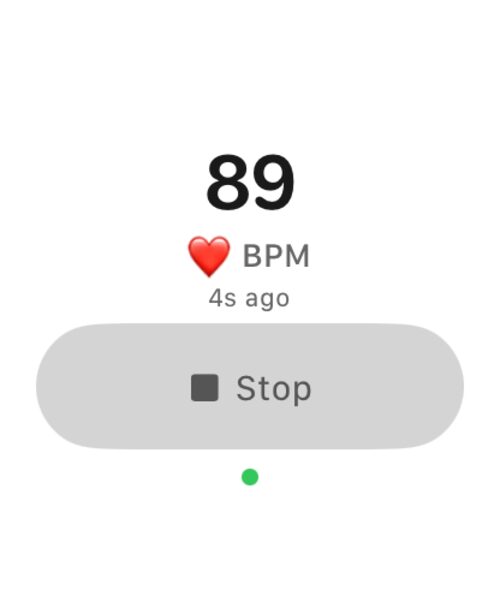
A sleeve, a jersey zip, or a grab at the bar tape can end a broadcast mid-ride. Arm the lock and the watch app swallows stray taps — a deliberate one-second press unlocks it, and the BPM stays readable the whole time.
Diagnostics, in full
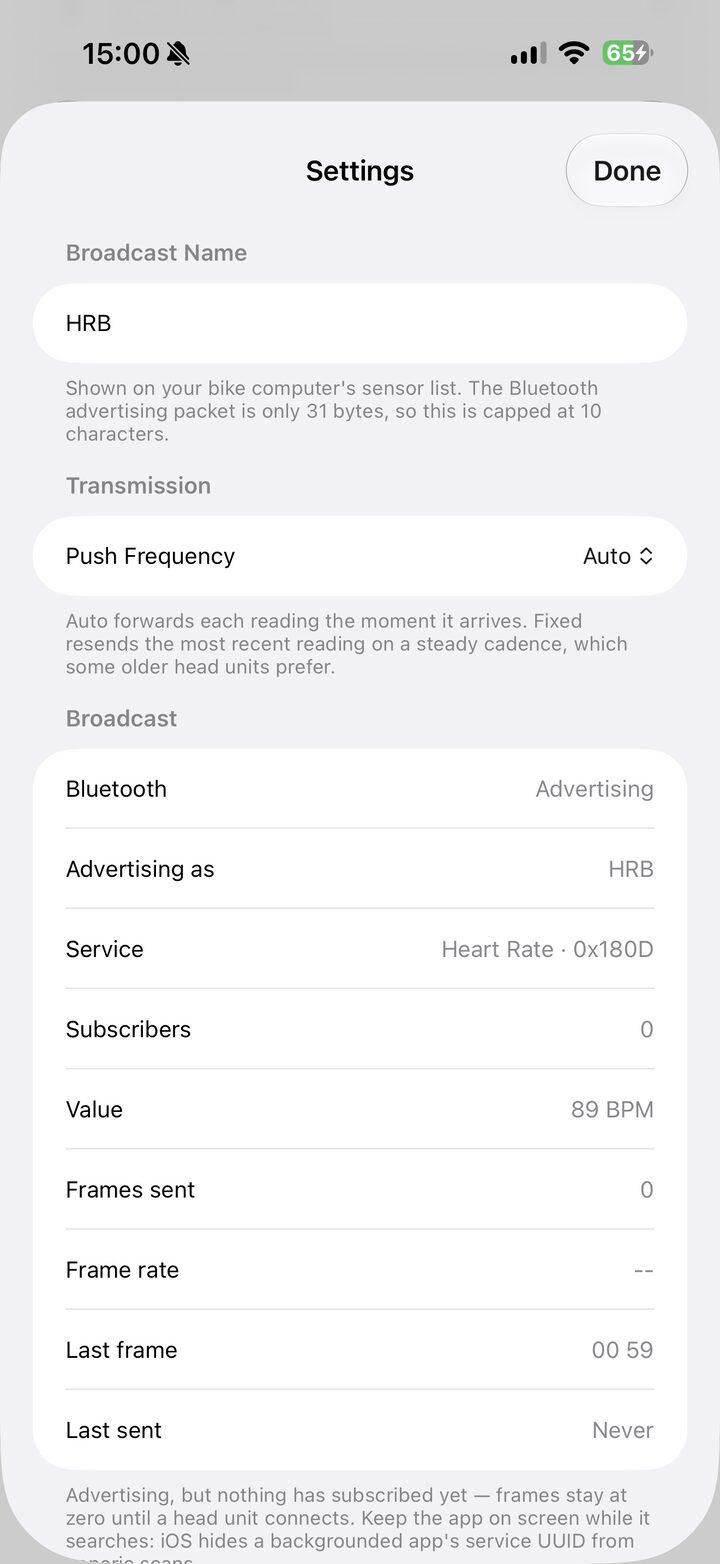
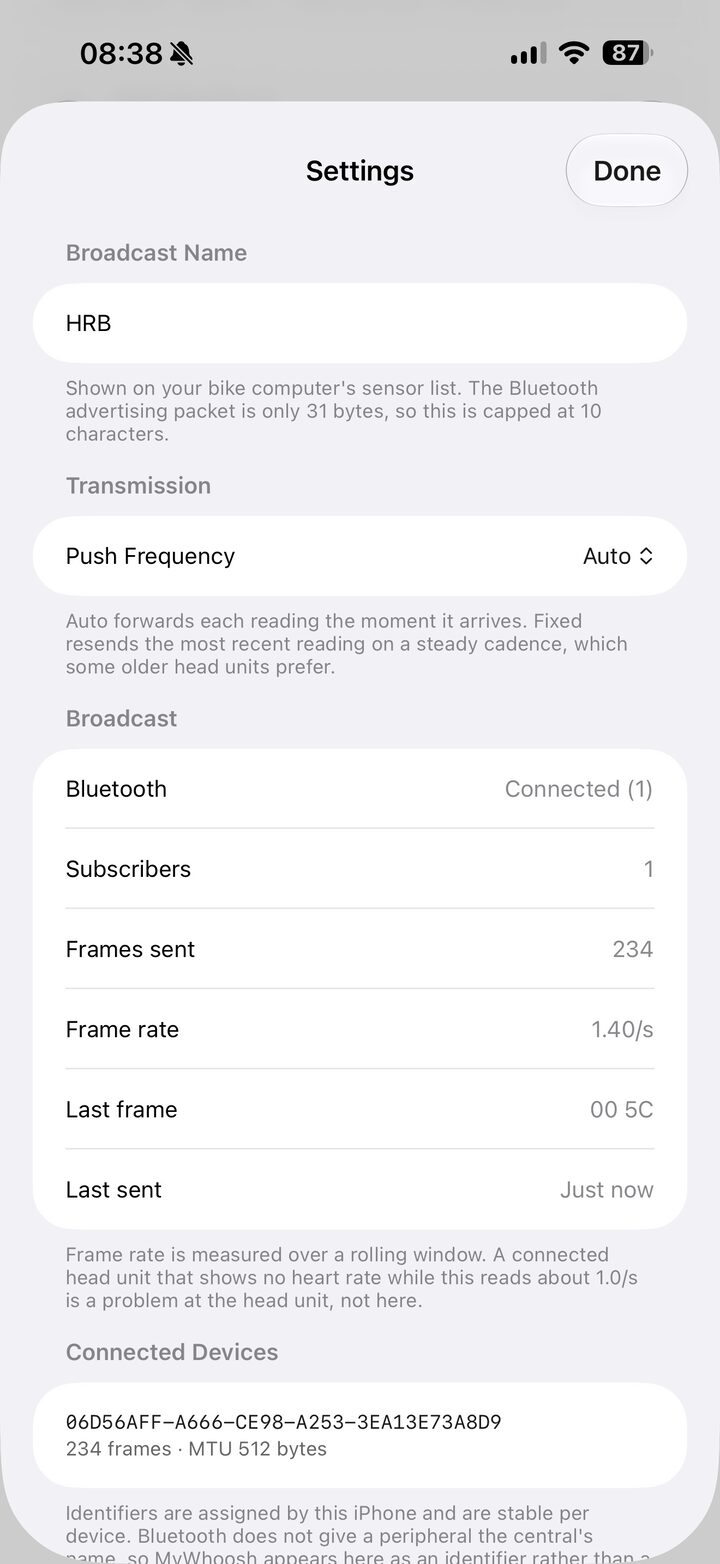
Settings shows connected centrals by identifier, frames sent per subscriber, live frame rate, the exact bytes of the last frame, and how long ago it went out. When something isn't working you can see which half of the link is at fault.
Beat-synced animation
The heart on the phone and the watch beats at your measured rate and stops when samples stop arriving. A still heart above a plausible-looking number means the sensor has dropped out.
Keeps sending in the background
Once a head unit has connected, the link survives locking the phone. HRB notifies once a second whether or not the value changed, which is what a real strap does and what head units expect.
Test signal
A synthetic heart rate source for pairing and debugging without putting anything on. Confirm the head unit sees a broadcast before you worry about the sensor.
Twenty-five languages
Every screen on the phone and the watch is translated into twenty-five languages, Arabic included with a right-to-left layout rather than mirrored English. Pick one in Settings and it stays picked, whatever the phone is set to. This site is in the same twenty-five.
Compatibility
Any app or head unit that pairs a Bluetooth LE Heart Rate Service sensor pairs HRB the same way.
And this is what it reads. The named ones are what the app was built and ridden against; a meter or trainer that is not among them still works, because the app reads the standard Cycling Power and FTMS profiles rather than particular models.
No ANT+ — and no app can add it
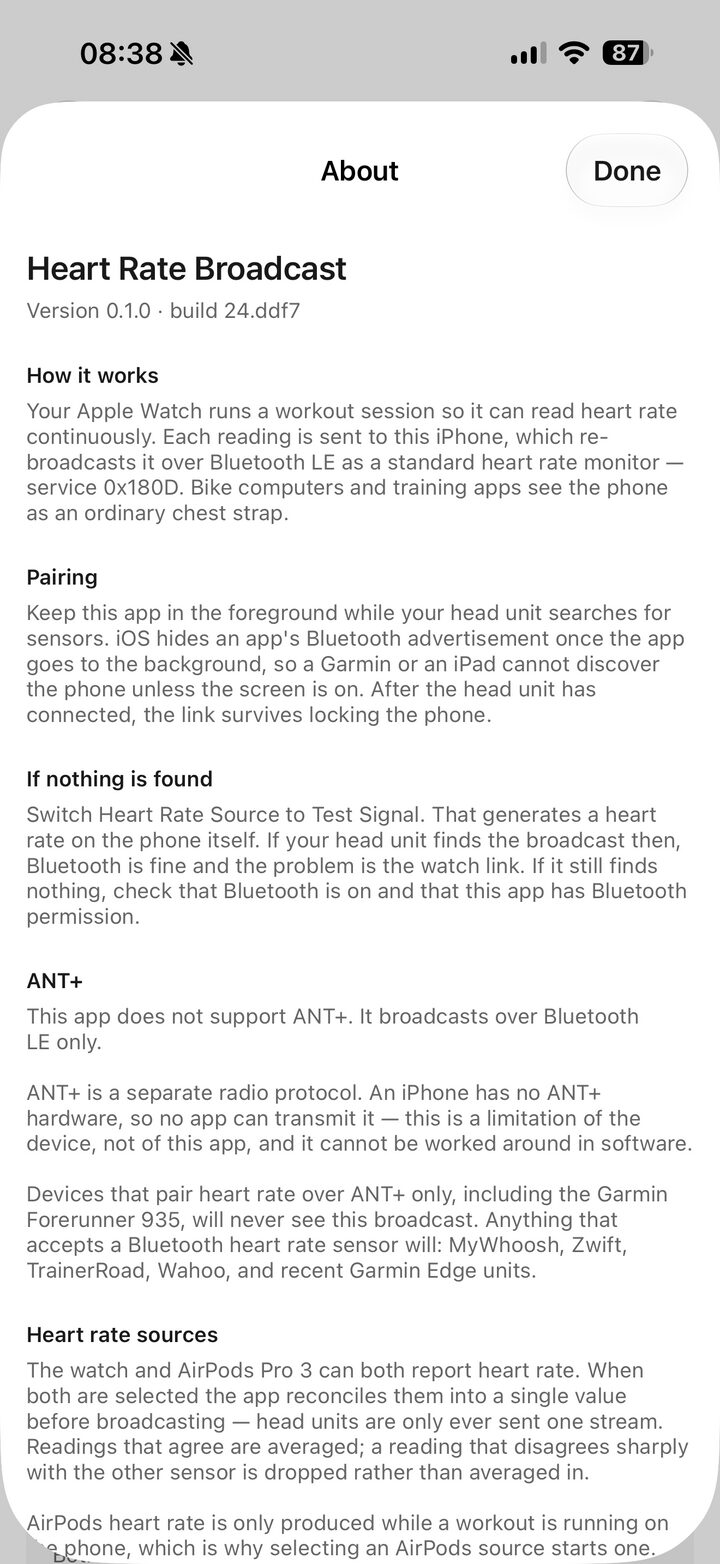
HRB broadcasts over Bluetooth LE only. ANT+ is a separate radio protocol, and an iPhone has no ANT+ hardware, so no software can transmit it. This is a limitation of the device, not of the app.
Devices that pair heart rate over ANT+ only — including the Garmin Forerunner 935 — will never see this broadcast, no matter how it is configured.
Setting up for MyWhoosh
Two rigs work. Which one you want comes down to whether you are willing to carry an iPhone, because the Apple Watch cannot reach anything without one.
Watch + iPhone + AirPods Pro 3
The accurate rig. Both sensors report, HRB reconciles them into one
number, and MyWhoosh sees a single strap. Start the watch app, pick
Both as the source on the phone, then pair
HRB in MyWhoosh's sensor screen. The phone stays in the
room; the watch does not need to be near the head unit, only near
the phone.
iPad + AirPods Pro 3
The one-device rig. AirPods Pro 3 pair straight to the iPad, so HRB, MyWhoosh and Bike Control all run on the same screen with no phone and no watch involved. Set the source to AirPods — the watch options are hidden here, because there is nothing for them to connect to.
The watch always goes through the iPhone
An Apple Watch pairs with an iPhone and only an iPhone, and it never advertises heart rate over Bluetooth itself. The watch app measures, hands the reading to the phone over the watch-to-phone link, and the phone is what your head unit actually connects to.
So the watch adds a second sensor to an iPhone rig, and adds nothing to an iPad rig. If you want one device on the desk, use AirPods on the iPad and leave the watch out of it.
| Pair once, in the foreground | Leave HRB open on screen until MyWhoosh reports the sensor connected. iOS hides a backgrounded app's advertised service, so discovery needs the foreground — after that you can switch apps or lock the device and the connection holds. |
|---|---|
| Broadcast from one device | Run HRB on the phone or the iPad, not both. Two copies advertising at once put two identical HRB sensors in MyWhoosh's list, and there is no way to tell them apart from the pairing screen. |
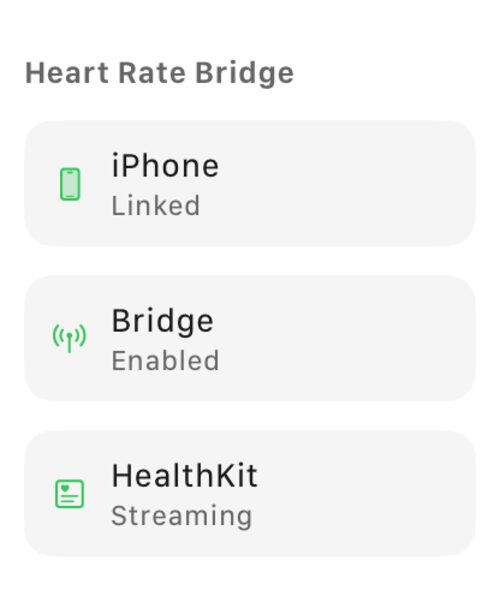
| Watch link, if the row is red | The Watch App row on the main screen reports what the phone actually sees. Not installed means the watch app has never been opened; not reachable usually means the watch app is not running — open it and start the session. The row disappears entirely on iPad. |
| Trying it without a sensor | Set the source to Test Signal to broadcast a synthetic 50–100 BPM. It pairs in MyWhoosh exactly like a real reading — the fastest way to confirm the sensor side works before you strap anything on. |
Questions
The things people hit first, and the honest answer to each.
AirDrop stopped working — stop the broadcast first
AirDrop finds nearby devices over Bluetooth LE, and so does HRB, using the same radio. While HRB is advertising and a head unit is subscribed, it holds that radio continuously. AirDrop then either fails to see the device on the other end, or shows it and stalls before the transfer starts.
Stop the broadcast, or quit HRB, then AirDrop. It works again immediately: re-pairing takes one tap once HRB is back in the foreground. The same is worth trying for any other feature that goes quiet while you are broadcasting — CarPlay handoff, a Bluetooth keyboard that starts dropping keys, Continuity Camera.
Can I lock the screen once it's paired?
Yes. Discovery needs HRB in the foreground, but the connection survives locking, backgrounding and switching apps. What you cannot do is pair for the first time with the app hidden — iOS stops advertising the service in the background.
What does it cost in battery?
Broadcasting is cheap; the workout session that produces the reading is not. Expect roughly what any heart rate workout costs on that device. The watch is the harder-hit end of an iPhone rig, because it is the one measuring.
Can two apps read the broadcast at once?
Yes. Bluetooth LE allows several subscribers to one sensor, so MyWhoosh and a second app can both see the same numbers. The main screen shows the live subscriber count so you can confirm both actually connected.
The BPM froze mid-ride
The reading greys out when it goes stale rather than repeating a dead number. With AirPods that usually means they stopped reporting — the route picker on that row bounces audio away and back, which re-establishes the link without leaving the app.
My Garmin won't find it
Check whether that model pairs heart rate over ANT+ only. An iPhone has no ANT+ radio, so no app can transmit it. Garmin devices that accept a Bluetooth strap pair with HRB normally; ones that don't never will.
Where does the data go?
To the Bluetooth radio, and nowhere else. There is no account, no server and no analytics. Heart rate comes from HealthKit on the device and leaves as a standard sensor value to whatever you paired.
Requirements
What it needs to run, and what it costs.
| iPhone | iOS 26 or later. Broadcasting uses the Bluetooth peripheral role, which the Simulator does not support — this needs real hardware. |
|---|---|
| Apple Watch | watchOS 11 or later. The watch app runs a workout session, which is the only way to get heart rate at a useful rate and to keep sampling with the screen off. |
| AirPods | Optional. AirPods Pro 3 report heart rate to whichever device runs the workout session, so HRB starts one on the phone when you enable them as a source. |
| Price | USD 4.99 on the App Store, paid once. No subscription and no in-app purchases. A TestFlight beta runs alongside the release for anyone who wants the next version early. |
| Pairing | Keep the app open until your head unit connects. iOS hides a backgrounded app's advertised service UUID, so discovery must happen in the foreground — after that the connection survives locking the phone. |
| Broadcast name | HRB by default, editable up to 10 characters — advertising packets are 31 bytes and head units truncate longer names. |
Open source on GitHub
The whole app is published under the MIT licence — the iPhone app, the watch app, the Live Activity, the build scripts and this website. If you would rather read the Bluetooth code than take the privacy claim on trust, it is all there.
- Read it
- github.com/tankbottoms/HeartRateBroadcaster — Swift, no dependencies, no analytics SDK to check for.
- Build it
- Clone, run
xcodegen generate, open the project and build. Signing needs your own team identifier; nothing else is required. - Sideload it
- Each release carries a Release-configuration
.ipawith sideloading instructions. HealthKit and background Bluetooth are unavailable to free provisioning profiles, so re-signing it needs a paid Apple Developer account.